Integrating Luma Summarization with ChangeGear
Luma Summarization is a generative AI-powered service that automatically generates concise summaries of ChangeGear tickets. These summaries enhance the support experience by making information easier to consume — whether for agents managing tickets or for end-users following up.
Setting Up Connections
To set up an integration with Luma Summarization:
-
Navigate to ChangeGear Web Administration by clicking the Main Menu (
 ) > Administration. Select the Integration node, then choose the Luma Summarization integration.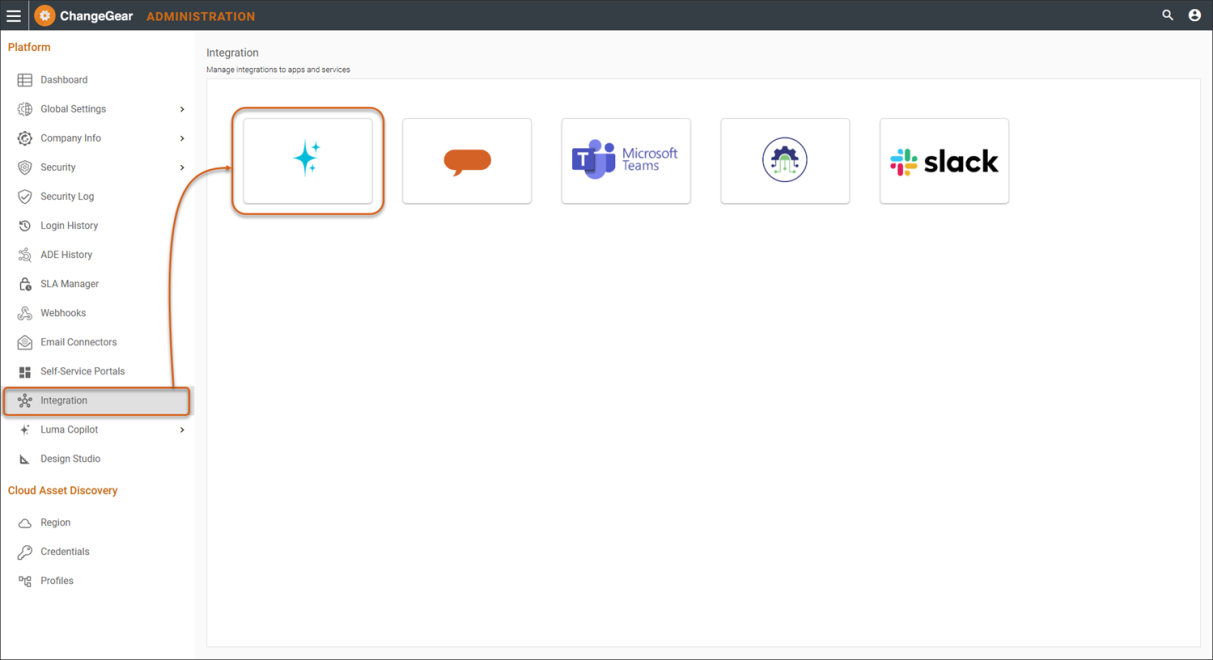
-
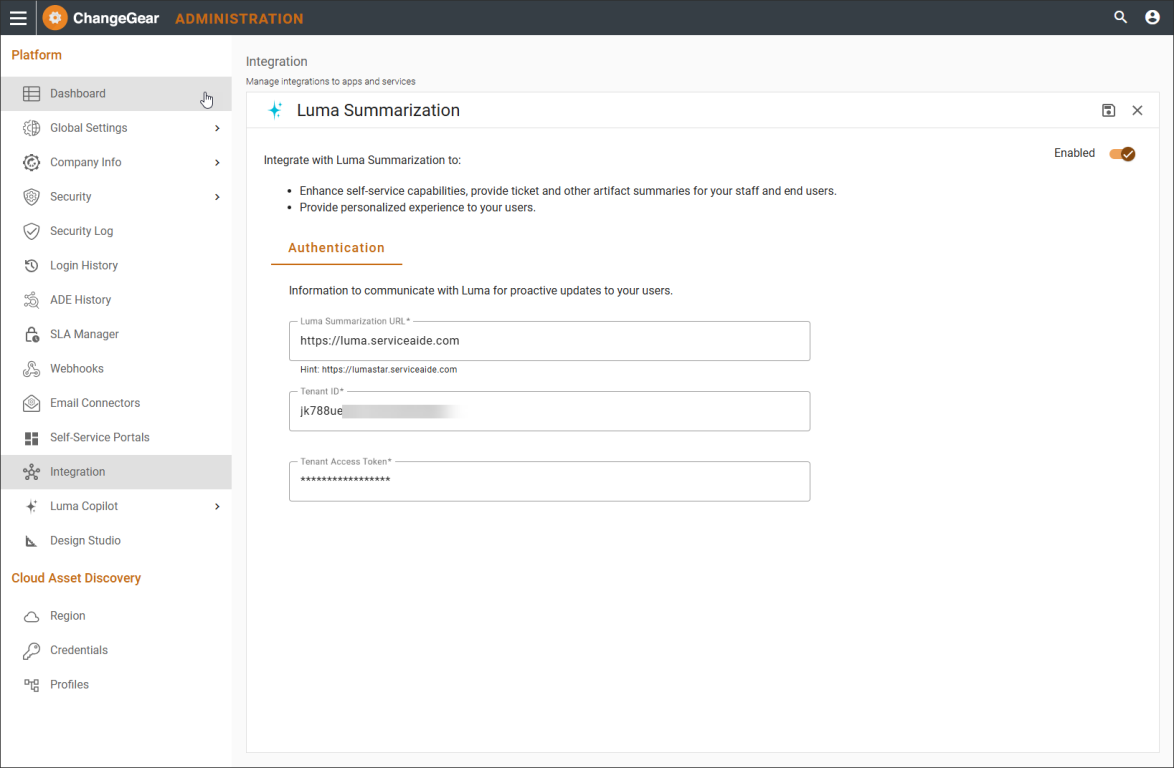
Complete the applicable fields in the Authentication tab (fields indicated with an asterisk (*) are required).
-
Luma URL - The base URL that points to the Luma instance that is going to be used.
-
Tenant ID - The ID of the given tenant.
-
Tenant Access Token - The access token to use for authentication with Luma.
-
Select the toggle to enable the integration. Click Save
 .
.
-
-
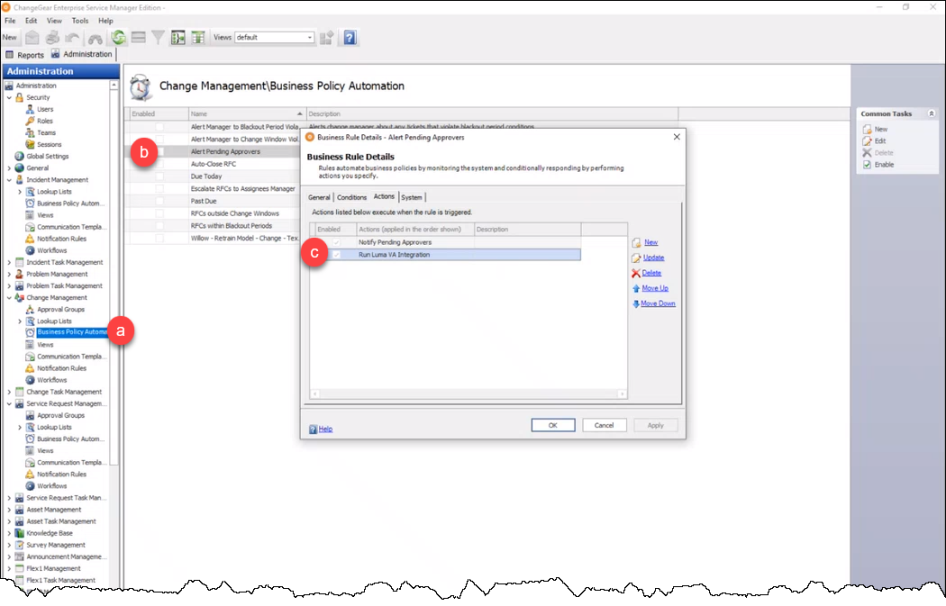
Once you have completed the steps shown above, you need to configure the Change Management and Service Requests BPAs to include the Run Luma VA Integration Action.
-
In Administration, select Change Management/Service Request Management > Business Policy Automation.
-
Double-click the Alert Pending Approvers BPA. The Business Rule Details dialog displays.
-
Enable the check-box to Run Luma VA Integration and save your changes.
-